

Affiliate programs are powerful, but they have a ceiling. A creator shares your product link, traffic floods in, but where does it land? Your generic homepage. No personalization. No social proof. No sense that this specific creator hand-picked these products for their audience. The shopper has no reason to believe the creator actually stands behind what they're buying.
That's where most affiliate programs live and die. But there's a better way.
CreatorCommerce is a Shopify-native platform that helps DTC brands build co-branded creator storefronts on the brand's own domain. Pair it with GoAffPro, the free-to-start Shopify affiliate app, and you transform affiliate links into dedicated, personalized shopping destinations. Creators get their own branded pages. Shoppers see curated drops, endorsements, and auto-applied discounts. Your conversion rates jump. Your AOV climbs. Your affiliate program becomes a real revenue engine.
Here's how it works, why it matters, and what brands are seeing.
What Is GoAffPro, and Why Start There?
GoAffPro is a Shopify affiliate marketing app. Think of it as the operations backbone of your creator program. It handles recruitment, link tracking, commission rates, coupon management, payouts, and basic analytics. It's rated 4.8/5 stars with 3.7K+ reviews, and it's free to start.
Out of the box, GoAffPro gives you:
- A private affiliate portal where creators log in, grab links, and track their earnings
- Custom commission rates per creator (reward top performers, onboard new ones)
- Unique codes + link tracking to attribute sales
- Basic analytics dashboard showing clicks, conversions, commissions
- Automated payouts to creators
- Mirapage integration for AI-generated landing pages (hosted on mirapage.com)
It's solid. Handles the operational side cleanly. But there's a gap: when a creator's link is clicked, the shopper still lands on your generic homepage or product page. No creator context. No personalization. No reason to trust the recommendation.
That's where CreatorCommerce comes in.
How Does CreatorCommerce Add the Layer That Matters?
CreatorCommerce sits on top of Shopify and on top of GoAffPro. It doesn't handle fulfillment, inventory, payments, or print-on-demand. It does one thing, and it does it well: it builds a dedicated co-branded storefront for each creator, powered by your Shopify store.
When a shopper clicks a creator's GoAffPro link, instead of landing on your homepage, they land on brand.com/creators/[creator-name]. And that page is personal.
The Shopper Experience: What Actually Happens
Let's walk through what a shopper sees:
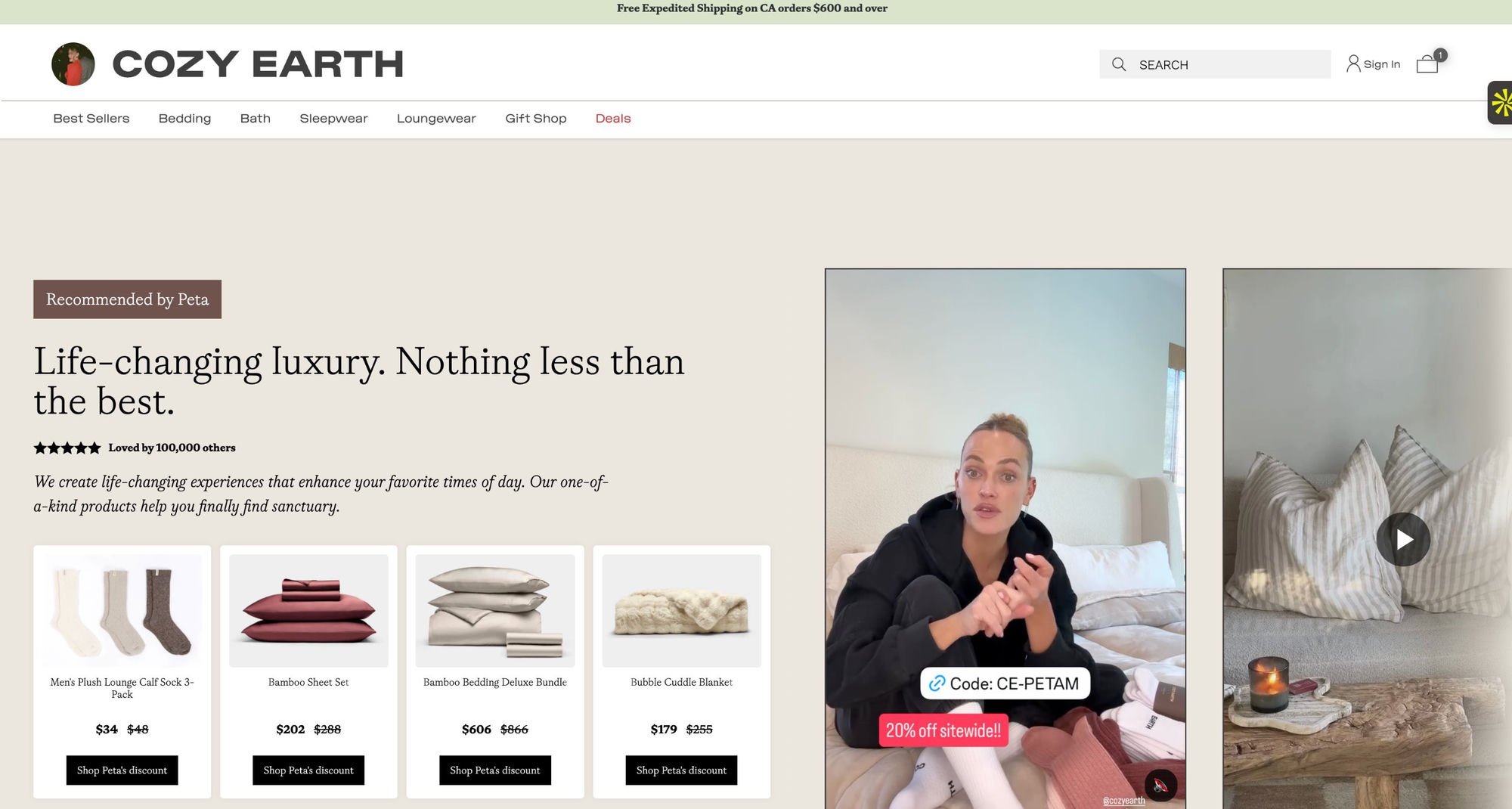
Above the fold: Creator's photo, name, short bio, and a personalized discount callout. No generic homepage banners. Just "Here are [Creator]'s picks: [discount]% off."
Below the fold: Hand-picked products ("drops") curated by the creator, with discounted pricing clearly visible. Each product card displays a creator quote badge, social proof, inline.
Product page: The co-branding continues. The creator's endorsement, UGC, and a sticky quote badge stays visible as the shopper scrolls through specs and reviews.
Checkout: The discount auto-applies. No coupon code to type. No friction on mobile. Cart attributes (cc-creator-handle) track attribution behind the scenes.
To be clear: CreatorCommerce is not an overlay, iframe, or separate storefront. It's Shopify-native: built on metaobjects, cart attributes, and order tags. When a shopper visits a creator's storefront, the CC SDK writes three specific cart attributes: cc-creator-id (unique creator identifier), cc-creator-handle (human-readable handle), and cc-shop-id (merchant identifier). These flow into Shopify orders, customer tags, and Klaviyo for downstream automation. Crucially, CC preserves GoAffPro's existing tracking parameters while appending its own; both systems get accurate attribution simultaneously.
Post-purchase email: Klaviyo integration references the specific creator: "Thanks for shopping [Creator]'s picks!" Email signup preserves creator attribution, so you can segment future campaigns by which creator drove the purchase.
This is not a generic affiliate link experience. This is a creator distribution channel that feels native to your brand.
The Tech Stack: How It All Connects
CreatorCommerce uses native Shopify architecture:
- Shopify metaobjects store creator profiles, bios, photos, drop selections, and discount codes
- Pre-built sections handle the storefront: CC Hero (creator photo/bio), CC Product Grid (curated drops), CC Quote Badge (sticky testimonial), CC Banner (persistent discount), CC Email Capture (attributed signups)
- Cart attributes (`cc-creator-handle`) tie each transaction to the creator
- Native Shopify checkout auto-applies discounts at cart-level, no third-party payment handling
- Klaviyo integration syncs cart attributes into email campaigns, so post-purchase messaging knows which creator drove the sale
- Shopify Flow triggers automation: new storefronts, discount updates, email workflows
The Attribution Layer: Dual-System Tracking
When a customer converts through a creator storefront, two systems capture the transaction. GoAffPro tracks the affiliate relationship (which creator drove the traffic) through its standard referral link infrastructure. CreatorCommerce captures the storefront-specific data through Shopify cart attributes and order tags, providing a complete view of which creator's curated page experience drove the purchase. This dual-layer approach ensures that your GoAffPro analytics remain clean while gaining deeper insight into storefront performance and creator effectiveness.
Everything lives in Shopify. No external vendors touching fulfillment, inventory, or checkout. CreatorCommerce is the UI and logic layer on top of your store.
GoAffPro + CreatorCommerce: Who Does What?
| Function | GoAffPro | CreatorCommerce | Notes |
|---|---|---|---|
| Affiliate recruitment & management | ✓ | GoAffPro owns the creator portal and onboarding. | |
| Link tracking & attribution | ✓ | GoAffPro tracks clicks and conversions; CreatorCommerce preserves attribution via cart attributes. | |
| Commission rates & payouts | ✓ | GoAffPro calculates and pays creators. | |
| Storefront personalization | ✓ | CreatorCommerce builds the branded landing page with creator photo, bio, drops, and discounts. | |
| Product curation | ✓ | CreatorCommerce lets creators select and organize their "drops." | |
| Discount auto-application | ✓ | CreatorCommerce applies discounts at checkout, no code typing required. | |
| Post-purchase email personalization | ✓ | CreatorCommerce + Klaviyo syncs creator context into emails. |
The simplest way to think about it: GoAffPro manages the program. CreatorCommerce upgrades the destination.
What Brands Are Actually Seeing
Co-branded storefronts are not a theoretical feature. Here's what real brands have measured:
Cozy Earth saw a 214% average CVR increase and 67.37% AOV lift after launching 600+ creator storefronts. Their creators now have a real distribution channel, and their customers convert at more than 3x the baseline rate.
Healf achieved 40.8% higher CVR across 1,700+ storefronts (built on a headless architecture plus Social Snowball for influencer recruitment). That's not a small uplift. That's a fundamental shift in how their affiliate channel performs.
Buttah Skin drove a 30% CVR increase and a 78% AOV increase with co-branded landing pages. Every metric moved.
Electro turned affiliate marketing into 81% of their ecommerce revenue. Affiliate went from a nice-to-have to their primary growth channel.
These are not outliers. These are repeatable outcomes because the model is simple: when a shopper sees a creator's personal endorsement and hand-picked products on a branded page, they convert more often and spend more. The psychology is solid. The data backs it.
Why This Matters for Your Program
Most affiliate programs plateau because the incentive is one-directional: you pay creators a commission, and they send traffic your way. But the landing experience is generic. Creators have no ownership. Shoppers have no reason to trust a random link from an influencer.
Co-branded storefronts flip the dynamic. The creator becomes visible. Their curation matters. Their voice is in the email. Their photo is above the fold. Shoppers think "Oh, this creator actually uses this brand," because the page proves it. Creators think "This is my distribution channel," not "This is a side commission."
That shift (from transactional to owned) is what drives the CVR and AOV increases you see in the case studies above.
GoAffPro + CreatorCommerce: Common Questions
Do I need GoAffPro to use CreatorCommerce?
Not technically. But you should. GoAffPro handles creator recruitment, tracking, and payouts: the operational backbone. CreatorCommerce is the storefront. Together, they're a complete affiliate system. You can use CreatorCommerce with other affiliate apps, but GoAffPro's integration and ease of use make them a natural pairing.
Where do creator storefronts live?
On your Shopify domain: brand.com/creators/[creator-name]. Not on mirapage.com, not on a third-party site. Your domain. Your brand. Your checkout.
Can creators customize their storefronts?
Yes. They pick which products to feature ("drops"), write their own bio, and upload their photo. CreatorCommerce has guides and templates to simplify the process. You can set brand guidelines (colors, fonts, mandatory sections) so it stays on-brand.
How do discounts work?
You define a discount in Shopify (percentage or fixed amount). Assign it to a creator in CreatorCommerce. When a shopper lands on that creator's page and adds a product to the cart, the discount auto-applies. No code entry required.
What are the pre-built storefront components?
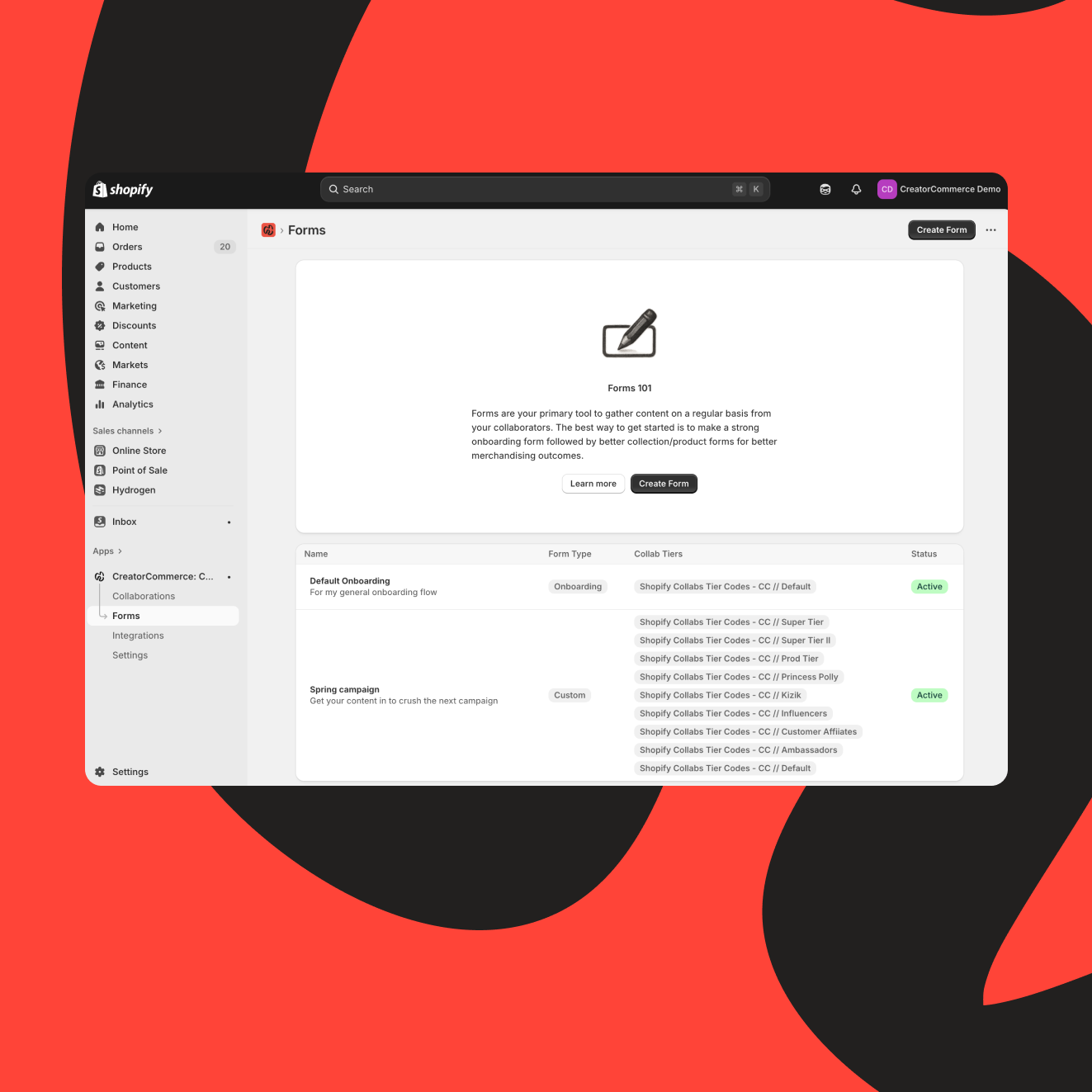
CreatorCommerce provides five core components that build the storefront layout. CC Hero displays the creator's photo and bio at the top, establishing identity immediately. CC Product Grid showcases curated product selections with the creator's recommendations. CC Quote Badge surfaces a sticky testimonial or endorsement to reinforce the creator's voice throughout browsing. CC Banner keeps the discount offer visible at the top of every page. CC Email Capture collects subscriber emails and attributes them to the creator for post-purchase communication. These components work together on the brand's Shopify theme, requiring no custom code.
What happens to attribution?
Cart attributes (`cc-creator-handle`) track which creator the shopper landed from. GoAffPro's link tracking confirms the click. Klaviyo syncs the creator name into post-purchase emails. You have a clean chain: click → cart → email. Full attribution.
Can I scale this to hundreds of creators?
Yes. Cozy Earth has 600+ storefronts and Healf has 1,700+. CreatorCommerce is built for scale: metaobjects, Shopify Flow automation, and templated sections mean you're not manually building pages. Creators onboard, fill in their details, pick their drops, and the storefront builds itself.
What if a creator leaves the program?
The storefront can stay live (as an archive), be paused, or deleted. Your choice. You control the lifecycle. Most brands archive storefronts so old links don't break, but the discount stops working and the creator can't edit anymore.
Next Steps
If your affiliate program is running on GoAffPro (or you're thinking about it), CreatorCommerce is the next evolution. It's not about replacing GoAffPro; it's about upgrading what happens when a shopper lands on that link.
The case studies above show the ceiling: 200%+ CVR lifts, 70%+ AOV increases, affiliate programs that become a primary revenue channel.
Start with a pilot. Launch 10-20 co-branded storefronts with your top creators. Measure CVR and AOV lift. Once you see the data, scaling is straightforward.
For more details on how other brands have scaled affiliate with co-branded storefronts, check out the CreatorCommerce case study library. If you're ready to explore the tech, head to CreatorCommerce or install GoAffPro from the Shopify App Store.
Your creators deserve their own channel. Your customers deserve personalization. Your bottom line deserves both.
What pre-built storefront components does CreatorCommerce include?
Related reading
- Step-by-step storefront setup
- Automating your affiliate program with shopify flow
- Scaling internationally with shopify markets
CreatorCommerce includes drag-and-drop sections for any Online Store 2.0 theme: CC Hero (Immersive and Minimal variants), CC Product Grid for creator-curated drops, CC Bundles for signature product bundles, CC Quote Badge (sticky creator endorsement on product pages), CC Banner for promotions, and CC Email Capture with creator attribution. The CC Web Pixel provides full-funnel conversion tracking across every click, page view, and shopper event. For step-by-step GoAffPro setup, see our integration guide.
Related Articles
- 100 creative co-branded storefront use-cases (By category)
- Co-branding will eat the world: why collaboration is the future of growth
- Connect multiple affiliate platform tiers to a single CreatorCommerce campaign
- How to Build a Creator Affiliate Program for Beauty Brands
- Introducing CreatorCommerce's New Co-Branded Page Builder
- Introducing the Brand Switcher: switch brands with ease when using CreatorCommerce
- Sephora is just the beginning: Why every brand can win with creator storefronts
- Support for co-managed storefronts is here - fueling more brand/creator collaboration
- Turn brand loyalists into brand advocates with the new Tapcart integration
Frequently asked questions
How does GoAffPro + CreatorCommerce work together?
GoAffPro manages affiliate operations: recruitment, tracking, commission rates, payouts, and analytics. CreatorCommerce builds the destination: co-branded storefronts where each affiliate's traffic lands. When integrated, an affiliate link in GoAffPro points to a personalized storefront in CreatorCommerce. The affiliate is credited (via UTM or ID), and the customer converts on a page branded with the creator's identity. Together they transform affiliate links into high-converting pages.
What's the setup process for the GoAffPro CreatorCommerce integration?
GoAffPro provides unique affiliate IDs. CreatorCommerce creates a co-branded storefront for each ID and accepts that ID as a URL parameter or UTM source. When an affiliate link from GoAffPro includes the ID, CreatorCommerce routes to the matching storefront. Attribution is clean. Setup typically takes 15-30 minutes. Both platforms provide API documentation to connect the flow.
Why do conversion rates increase with co-branded storefronts?
Co-branded storefronts preserve the creator's endorsement signal. When traffic lands on a page branded with the creator's photo, name, and curated products instead of the generic homepage, conversion rates jump. CreatorCommerce data shows 30-214% CVR increases. Reason: shoppers trust the creator already. The storefront confirms they're in the right place and that the creator hand-picked these products for them.
Can you run GoAffPro without CreatorCommerce?
Yes. GoAffPro is fully functional on its own for tracking and payouts. But conversion rates stay 1-5% because traffic lands on the homepage. CreatorCommerce is optional but high-ROI. If you're paying commissions, adding a conversion layer makes every commission more profitable. You keep GoAffPro's operational efficiency and add CreatorCommerce's conversion power.


%201.png)
%201.png)
